
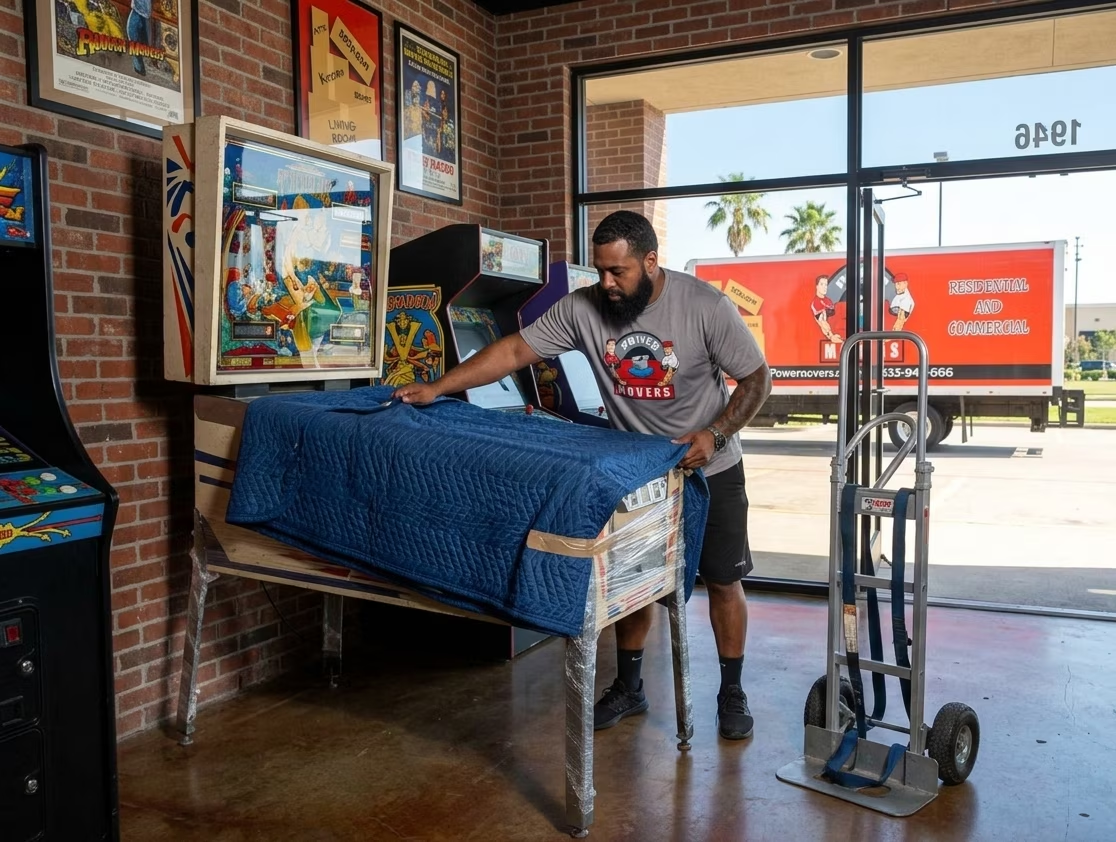
How to Move a Pinball Machine Safely (Step-by-Step)
A pinball machine is a pain to move. It’s heavy, and once the backbox is up it’s top-heavy too. Inside are glass, wiring, and loose steel balls, and the legs are bolted on. Move one the wrong way and you can end up with a dented cabinet, a cracked backglass, or a scratched playfield.
The good news: these machines are made to come apart. Knowing how to move a pinball machine mostly means doing a short list of steps in order. Take out the balls, secure the backbox, pull the legs, wrap everything, then rebuild it at the other end. Below are those steps in detail, with notes for Houston renters and homeowners.
The short version: Unplug it and pull every ball. Lock down the glass, then fold the backbox down or remove it. Take off the legs and wrap the cabinet in blankets. Get at least two people and a dolly, strap the machine down in the truck, and level it once it’s back together.
Table Of Contents[hide]
Why pinball machines are hard to move?
- Weight. One Stern setup sheet lists the game at about 260 pounds, give or take 10, and says at least two people are needed to move and maneuver it. Wide-body machines and heavily equipped models can run heavier.
- The backbox. The upright head holds the scoreboard, the electronics, and the backglass. Leave it standing and the whole machine gets top-heavy, and the head itself can crack or break off.
- Loose parts inside. Steel balls rattling around during transit can damage the playfield and plastics.
- Delicate surfaces. Artwork, inserts, and small parts cover the playfield.
- Wiring and boards. Connectors can pull loose. Old batteries can leak.
Know what kind of machine you have
Your machine’s backbox decides how the move goes more than anything else.
Type | Backbox | What to do |
Modern and most later solid-state machines (roughly the mid-1980s and newer) | Hinged, folds forward onto the cabinet | Unlock, fold down over padding, strap |
Older solid-state and electromechanical (EM) machines | Bolted on, often with plug-in connectors | Unbolt, unplug, lift off, transport upright and padded |
Wide-body machines | Usually hinged, but wider and heavier | Same steps, with extra helpers and wider door clearances |
If you still have the game’s manual, get it out. Latches, pins, and bolts differ by manufacturer, and the manual shows where yours are. On one point the manufacturers’ instructions agree: never transport a machine with a hinged backbox standing upright. Fold it forward onto the cabinet, on a protective layer, to avoid damage and possible injury.
Tools and supplies
- A socket wrench (leg bolts are often a 5/8-inch socket), screwdrivers, and a set of hex keys
- Moving blankets
- Stretch wrap (shrink-wrap style) and ratchet straps
- Heavy cardboard or foam
- Zip bags and a marker for hardware
- A hand truck or appliance dolly with straps rated for the weight, plus a stair-climbing dolly if there are steps
- A stool, sawhorses, or a helper to support the back of the cabinet while the legs come off
- Work gloves
- A phone to photograph connectors and wiring before you disconnect anything
Plan on at least two people. With stairs, bring three or four.
Steps to move a pinball machine
Step 1. Plan the route and measure
Measure every doorway, hallway, stair turn, and elevator interior the machine has to pass through, then compare those numbers to the cabinet’s width and the backbox’s dimensions. A standard cabinet is roughly two feet wide. Wide-bodies are wider. Decide where the machine will sit at the other end, and clear the path to it. Then think about the vehicle: how will you get a machine this heavy up into it?
Step 2. Power down and unplug
Switch the machine off and pull the plug. Tuck the power cord inside the cabinet or secure it so it can’t drag or get pinched. A pinball machine has high-voltage parts, so never work inside it while the power is connected.
Step 3. Remove all the balls
Take every ball out and drop them in a labeled bag. Balls left in the machine can bounce around and damage the playfield, plastics, and targets. Some games will eject the balls from the service menu.
If yours won’t, open the coin door, unlock the lockdown bar, and slide out the playfield glass, then pick the balls out of the shooter lane and off the playfield by hand. Captive balls are meant to stay in the machine, so leave those. Pull any other loose items too: manuals, spare parts, the cash box.
Step 4. Lock down the glass
Slide the playfield glass back in, then latch the lockdown bar and the coin door. The backglass stays in the backbox. Check that the backbox is locked so the glass can’t slide out when you fold the head down. On a long-distance move you can pad the playfield glass or take it out for packing, but only if you’re confident you can put it back.
Step 5. Secure the backbox
Hinged backbox (most modern machines):
- Take out any large transport bolts holding the head to the cabinet neck.
- Unlatch the backbox. Some have a lever or latch, and others need a hex key through a hole in the back. Your manual will say which.
- Lay cardboard or foam across the cabinet rails where the head will rest, so it doesn’t mar them.
- Fold the head forward onto the cabinet.
- Lock it down with a ratchet strap over padding, or wrap the whole cabinet in stretch wrap several times.
Detachable backbox (older machines):
- Open the backbox and remove the bolts that hold it to the cabinet neck, usually two to four of them.
- Photograph the large connectors that run down into the cabinet, then unplug them.
- Lift the backbox off and stand it upright on a blanket, backglass inside and locked.
- Wrap it in bubble wrap and blankets, and keep it upright for the whole move.
If your machine has a topper or other add-on on the head, take it off or pad it well.
Step 6. Remove the legs
- Have a helper hold up the back of the cabinet, or rest it on a stool, so the rear legs are off the ground.
- Take the bolts out of each rear leg. Most machines use two per leg, eight in all. Leave the levelers on the legs.
- Lower the back of the cabinet to the ground.
- With help, stand the cabinet on its back end. Some cabinets have glides there for exactly this.
- Remove the front legs.
Never let the machine’s weight rest on a leg while you loosen its bolts, and support each leg as it comes off. Wrap every leg in a blanket or bubble wrap. Bolts go in a labeled zip bag, taped to a leg or the parts box. Go easy so you don’t strip them.
Step 7. Wrap the cabinet
Cover the whole cabinet with moving blankets and hold them on with stretch wrap. Keep sticky tape off the artwork. Pad the corners and the spot where the head meets the cabinet. Tape the leg bundle and the parts box to the machine at the angle where the head meets the body, with padding so the legs can’t rattle against the cabinet.
Step 8. Move it to the vehicle
- Lift with your legs, not your back. The dolly should carry the weight.
- Strap the cabinet to the hand truck, and have spotters on both sides watching clearances.
- Never use the lockdown bar or the backbox as a handle.
- On stairs, bring a stair-climbing dolly and enough people to control the weight. One person guides from the bottom.
- For a short trip across a smooth, level floor, with the head folded down and secured, sliders under the legs make it easy. Doorways and stairs are different: take the legs off.
Step 9. Load and secure it
A pinball cabinet rides in a truck one of two accepted ways:
- Lying flat on its bottom, glass side up, on blankets, like a coffin. Many people consider this the more stable position, since the center of gravity is lower.
- Standing on its back end, braced and strapped to the wall of the truck.
Either way, pad it on all sides and strap it to the truck’s tie-down points so it can’t shift if the driver brakes suddenly. Blankets go between the straps and the cabinet. Nothing gets stacked on top of the machine, and the head stays secured. Put it where heavy furniture can’t slide into it, and load it last if you can, so it comes off first.
Step 10. Unload and reassemble in reverse
Unload carefully, then rebuild the machine in the reverse of the order you took it apart:
- Unwrap it somewhere clean.
- Attach the front legs first, with the cabinet standing on its back end.
- With a helper or a support, lift the machine and attach the rear legs.
- Lower the cabinet onto its levelers.
- Raise the backbox and secure it the way the manual says. On hinged heads, the mounting bolts typically go through the bottom of the backbox into the cabinet. Never run the machine with an unsecured head.
- Plug back in any cables you unplugged, using your photos.
- Replace the glass and the lockdown bar if you removed them, then put the balls back in.
Step 11. Level and test it
Use the leg levelers to get the machine level side to side and set the playfield’s incline. The manuals for classic Bally and Williams games call for a pitch of roughly 6.5 to 7 degrees, though it varies, so check yours. Then plug it in, power it on, and test the display, lights, flippers, bumpers, and ball feed. Look for loose connectors or anything that shifted in transit. If something isn’t working, switch it off before you look inside.
Batteries and electronics
Older machines often have AA batteries on the main circuit board. They can leak and corrode the board, and repairing a board costs far more than a battery. If you can see a battery holder, check it for corrosion before the move. For storage, replace the batteries or take them out instead of leaving them in. And stay out of the backbox and cabinet while the machine is plugged in.
Moving a pinball machine in Houston
- Humidity. Collectors say humidity does the most long-term damage to these machines. It corrodes metal and board components and swells wood and particleboard. Houston is humid, so keep the machine in an air-conditioned space, not in an open garage or non-climate-controlled storage.
- Heat. Don’t let the machine sit in a hot truck or a parked trailer. Load it last and unload it first.
- Rain. Keep the cabinet dry. Plan a covered path or reschedule.
- Apartments and high-rises. Reserve the elevator, measure the inside of it, and ask what the moving hours are.
- Flood risk. If the machine is going into storage, keep it up off the ground and stay away from low-lying spots.
Should you hire professional movers?
One standard machine is a fair DIY job with a couple of strong helpers, the right tools, and the manual. Call professionals if you have a wide-body or a valuable collector’s machine, stairs, a long distance to cover, more than one machine, or nobody to help.
If you do, ask whether the company has handled pinball and arcade machines before. Then ask about coverage. Under federal rules for interstate moves, Released Value limits a mover’s liability to 60 cents per pound per article. At that rate, a 260-pound machine would be worth about $156 in a claim, regardless of its real value. Federal guidance also warns that packing your own items can make it harder to establish a claim. Ask for Full Value Protection or other coverage in writing.
Inside Texas, look up the mover’s TxDMV certificate number in the department’s Truck Stop database and make sure it’s active. Talk through liability before you sign the contract. If anything is damaged, note it on every copy of the moving documents and file a written claim within 90 days of delivery.
Common mistakes
- Leaving balls in the machine
- Moving it with the backbox standing up
- Lifting it by the head or lockdown bar
- Skipping the helper
- Putting sticky tape on the artwork
- Not labeling bolts
- Forgetting to level it
- Storing it in a damp garage
FAQs
How heavy is a pinball machine?
It depends on the model. One Stern setup sheet lists its machine at about 260 pounds, give or take 10, and wide-body machines run heavier.
Do I have to take the legs off?
Yes, for any move through doors, up stairs, or into a vehicle. Taking the legs off lowers the machine and keeps the legs from breaking.
Can I move a pinball machine by myself?
No. Even a lighter machine takes at least two people.
Do I need to remove the balls?
Yes. Loose balls can damage the playfield and plastics in transit.
Can I move a pinball machine on its side?
Flat on its bottom or standing on its back end are the two standard positions. Check your manual before trying anything else.
Is it okay to store a pinball machine in a garage?
Houston’s humidity makes a garage risky. A climate-controlled space is much safer.
Power Movers handles local, long-distance, residential, commercial, and specialty moves in Houston, TX, plus packing and moving help. If a pinball machine needs to move, contact Power Movers for a quote.
Sources
- Stern Pinball game setup sheet (weight, two-person minimum, leg bolts, backbox lock)
- Bally game manual, assembly instructions (backbox transport warning, leveling)
- Williams-era Dr. Dude manual, assembly instructions
- Home Pinball Repair, “How to Get Rid of Those AA Batteries”
- Federal Motor Carrier Safety Administration, “Liability and protection when you move”
- Texas Department of Motor Vehicles, “Don’t Make a Move”

Article written by
Gary Williams founded Power Movers, a Houston moving company with more than 1,000 reviews. He spent 12 years with the Houston Police Department’s Central Division, where moving-company complaint calls were part of what pushed him to start the business. Power Movers has worked with Tesla, Lululemon, and the Houston Rodeo, and is featured in Forbes Advisor’s Best Moving Companies in Houston list.